
Meet DJ An AI workspace for your Mac Powered by Claude
Everything you work on, in one place on your Mac, with an AI that remembers all of it and gets it done
This form needs JavaScript
You can join with the backup form instead
Launching in early 2027
You’re on the list
Question 1 of 4
You’re on the list
We’ll email you when DJ launches
Watch DJ in action
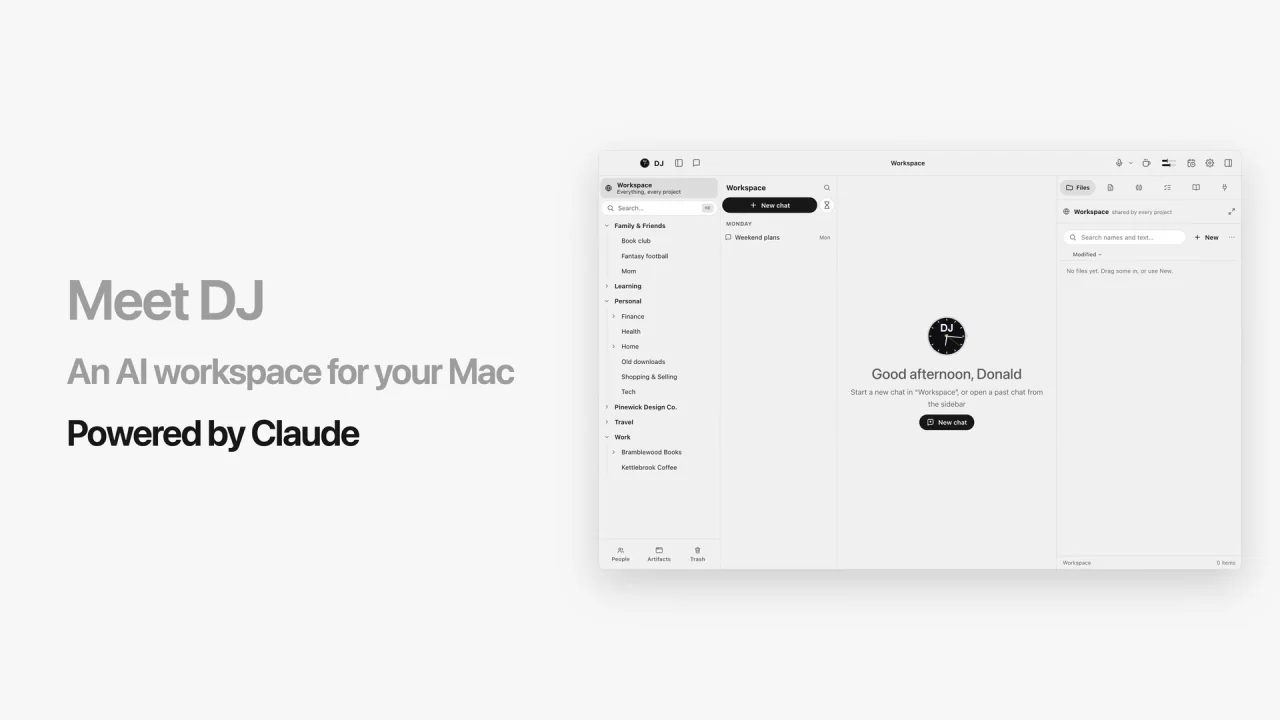
How it works
- Install DJ on your MacYour projects, chats, files and meetings live in one DJ folder
- Choose what it can reachMail, Messages, Calendar, Photos, your apps and your browser each get Off, Ask first or Allowed
- Ask in plain wordsClaude reads what the job needs, and DJ does the work in your apps and files
- You stay in chargeNothing goes out until you say soPaying and deleting for good always askDeleted things wait in the Trash for 14 days
Example data
Messages and contacts
Your texts, Apple Mail and contacts, and sending messages for you
Search and read your Messages and their attachments. It never sends a text.
macOS: allowed (Full Disk Access)Search and read the mail Apple Mail keeps on this Mac. A reply is a card you send yourself.
macOS: allowed (Full Disk Access)Send texts and emails for you, a batch at a time
macOS asks the first timeLook up a person’s number, email or birthday, and add someone new
macOS can’t say right nowAnything you can do on your Mac, DJ can do for you
Every mail account in Apple Mail, even work, your whole Messages history, Calendar, Notes and Contacts
Example data
Three things are open with Chris:
- The new loyalty cards, by Thursday. He asked by text on Monday, because Pierce prints on Friday.
- The menu boards quote. He emailed your work address on Nov 6, and nobody has answered. Your draft quote is in Documents.
- Tuesday’s photo shoot. It’s on your calendar, and your note from the last one says he wants the cold brew first.
His cell is in Contacts if you’d rather call.
Where each part came from
- Messages asked by text on Monday
- Mail emailed your work address
- Files draft quote in Documents
- Calendar Tuesday’s photo shoot
- Notes your note from the last one
- Contacts his cell
How DJ is different
Grok Bot, Claude Duet and Dots mostly work on their own computers in the cloud
Example data
- It works on your Mac, already signed inYour mail, texts, files, apps and browser
- It remembers for months, across everythingEvery project and person, and you can open and edit what it knows
- What it learns is yoursPlain files on your Mac that get more valuable the more you use DJ
- It’s built for heavy workBig jobs split across helpers that keep going for hours, with a real file manager for everything it makes
- Meeting audio is never sent to ClaudeIt’s transcribed right on your Mac
Checked November 2026
Everything you work on lives in projects
A project for each part of your life
Each keeps its own chats, files and memory
And the people in your life are known in every one
Example data
Two things: the order-ahead link and the Sunday hours. Both are done now.
Chris Halloran
Owns Kettlebrook Coffee, a local roaster, and signs off on its design work.
Full name: Chris Halloran
Role: Owner, Kettlebrook Coffee
Appears in: Kettlebrook Coffee
Relationships
Works with: Pierce Whitfield
Months later, a brand‑new chat already knows
Start a new chat any time, and it still knows the people, the decisions and what you promised
Everything it learns is written down in plain files on your Mac
They’re yours to keep, and the more you use DJ, the more valuable they get
Example data
April
Today, in a new chat
Back in April, you two agreed on three things:
- One family of covers. The same type and palette, so the series reads as a set.
- Two rounds of changes per cover, at $2,400 each.
- The author’s name on every spine. You promised it in the kickoff meeting. Covers 1 and 2 have it, but cover 3’s concepts don’t yet.
Every meeting, remembered
It records your meetings, knows who said what and files the notes where they belong
Once it’s filed, what you promised is waiting in Tasks
Drag the site change onto a chat, and the next version is ready to build
The email telling them it’s live is ready when you are
The audio is transcribed on your Mac and never sent to Claude
Example data
Chris Halloran, in the meeting
“Can people order ahead for pickup on the home page?”
- Add order ahead for pickup to the home page
- Email Chris when it’s live
- Pierce Whitfield prints pickup signs for the three countersWatching for a reply from Pierce Whitfield
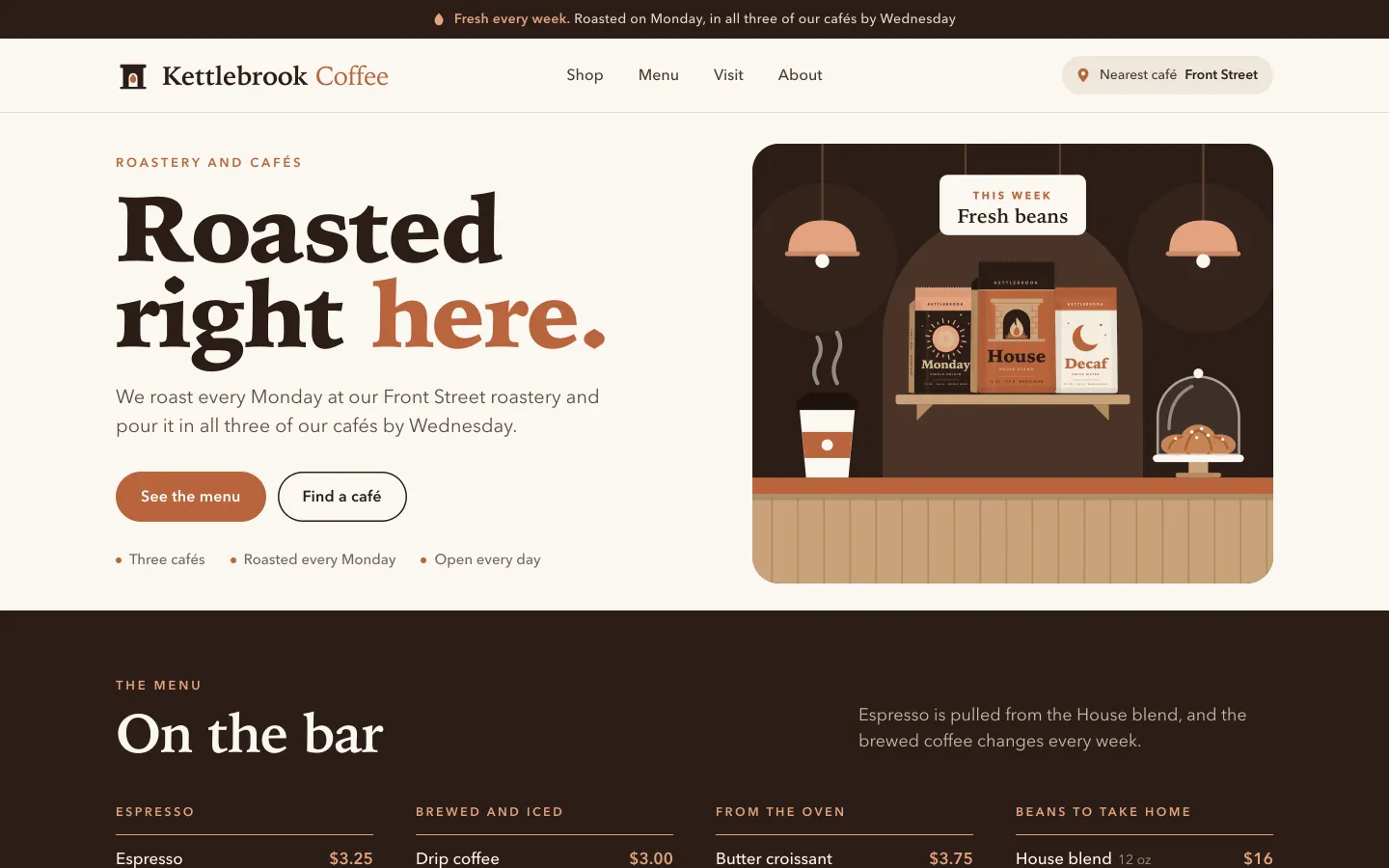
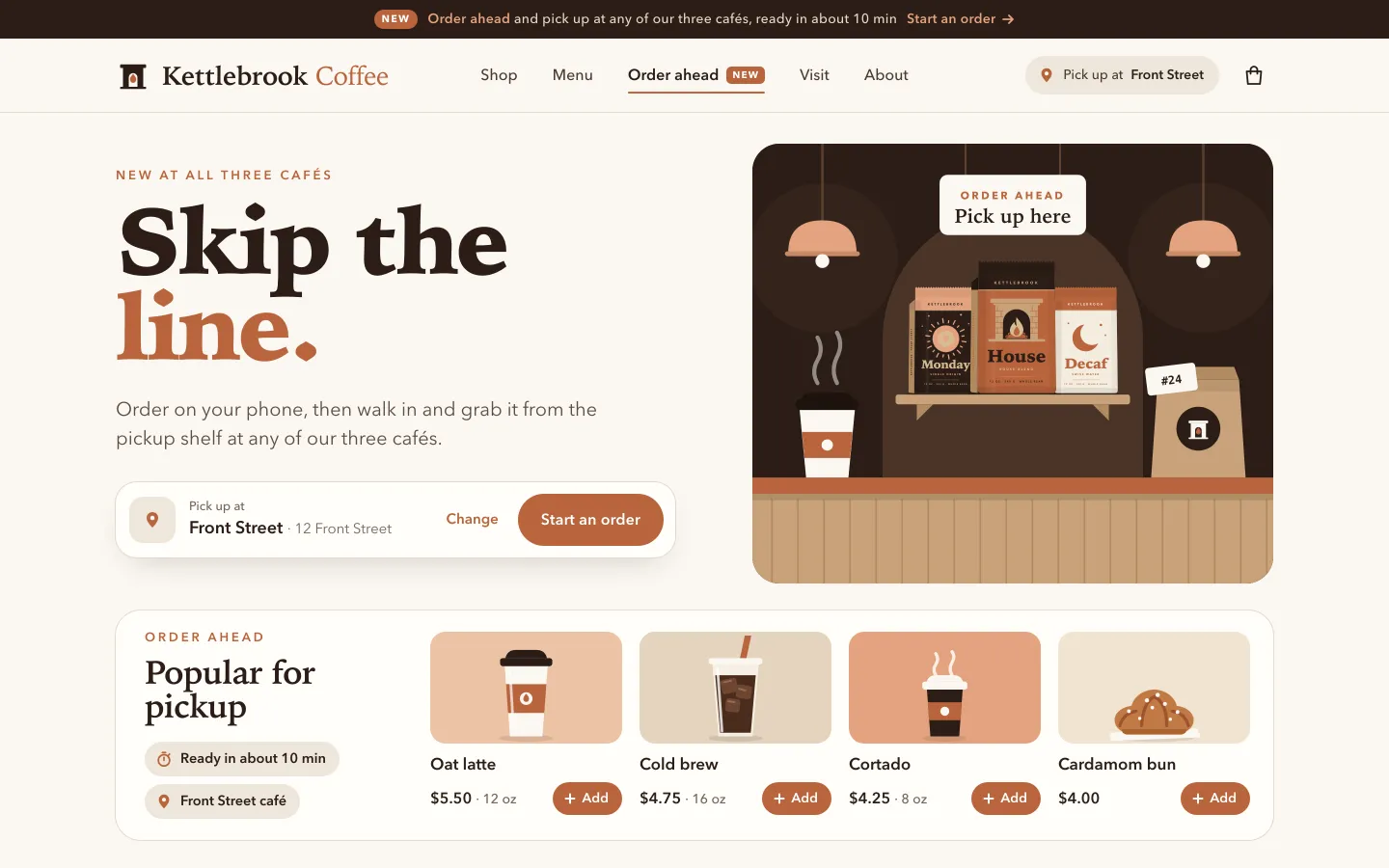
Order ahead is live on the staging site, right on the home page. Here’s the email to Chris:
Nothing goes out until you send it.
Hand it any file, and ask for anything back
A video, a scanned page, a spreadsheet, even ten years of email
It searches every message and finds what you need
Example data
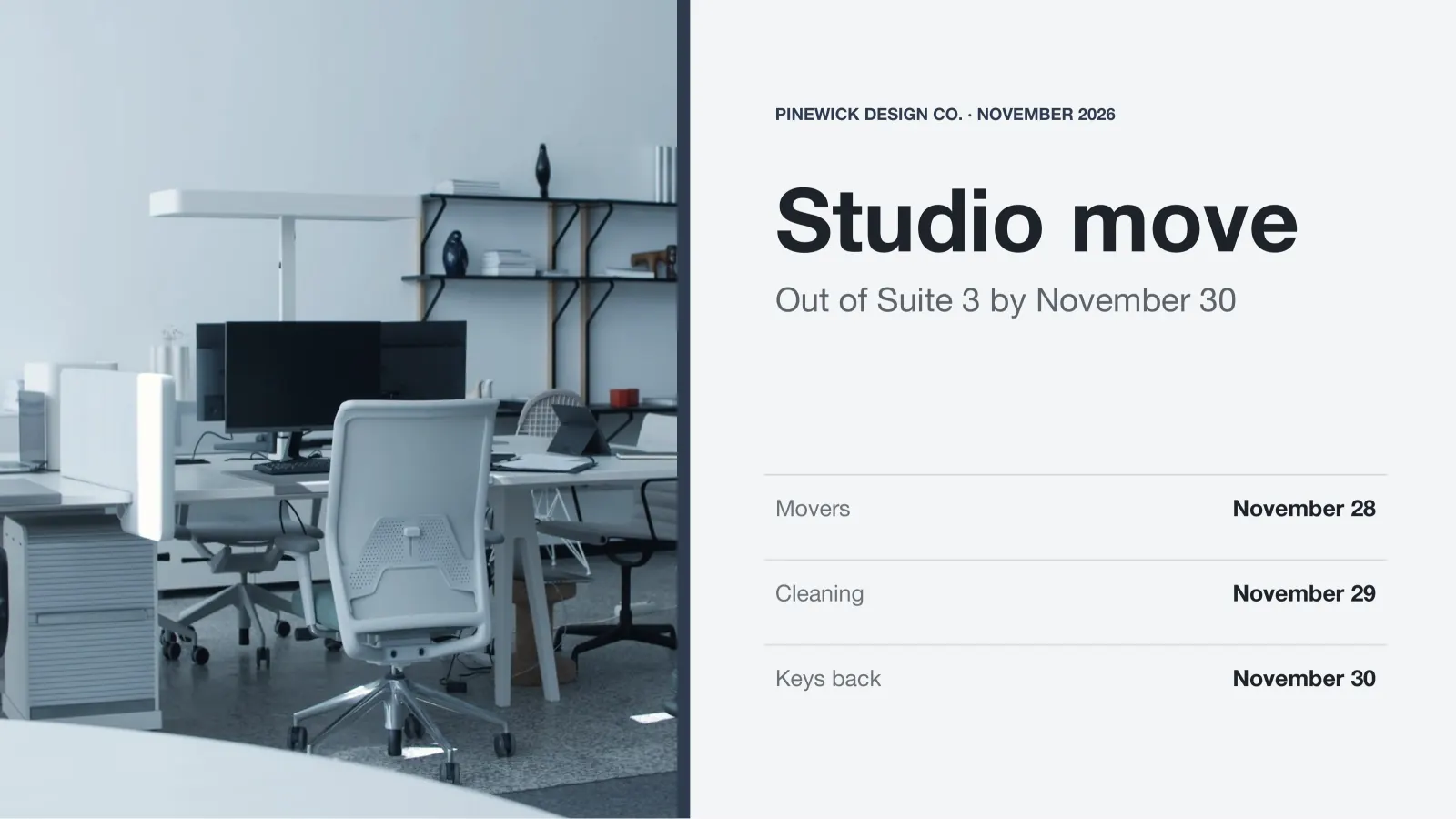
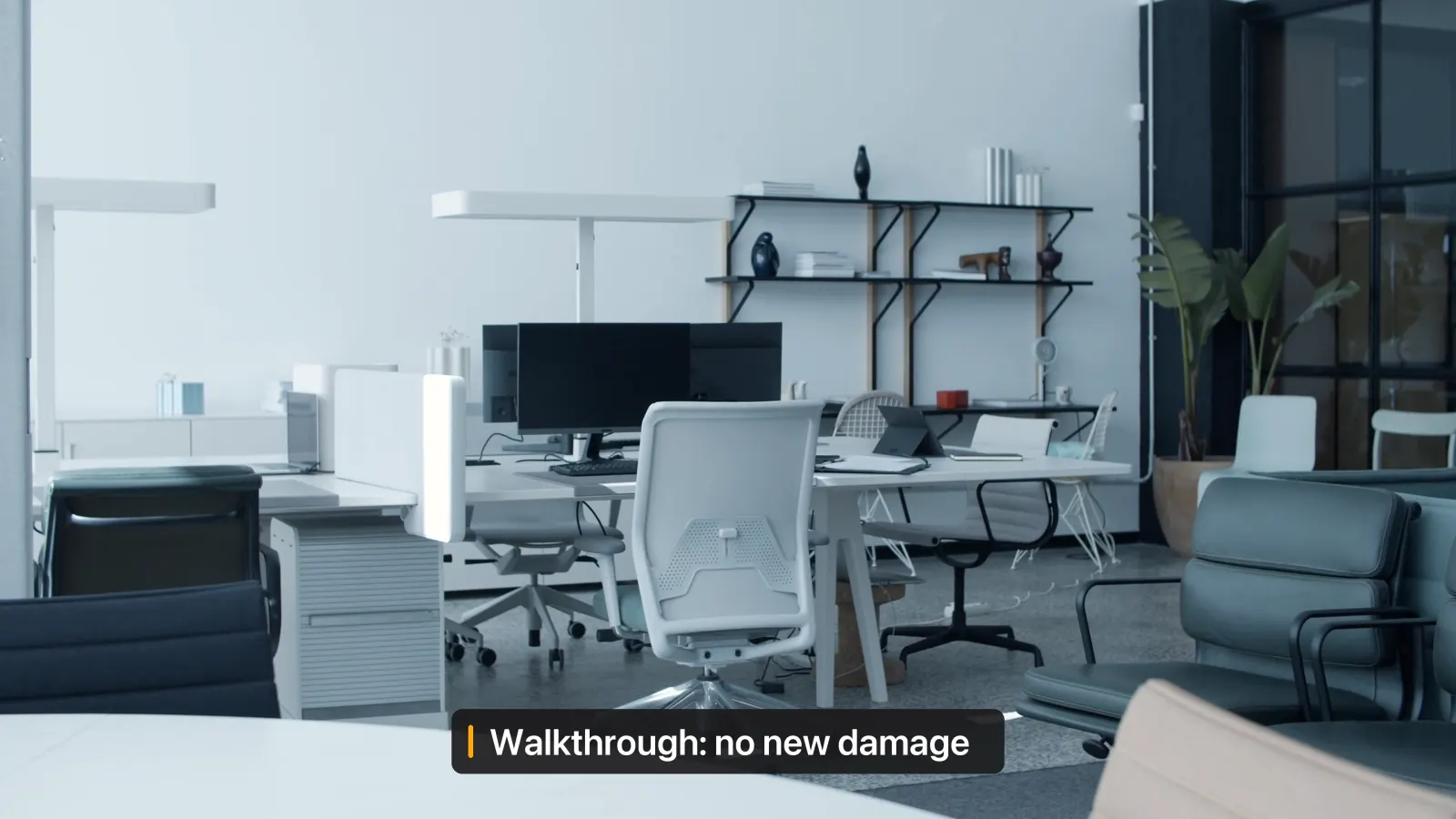
 Office walkthrough.movQuickTime movie
 Lease (scan).pdfPDF document
 Move budget.xlsxExcel spreadsheet
 Mail 2015-2025.mboxMBOX file
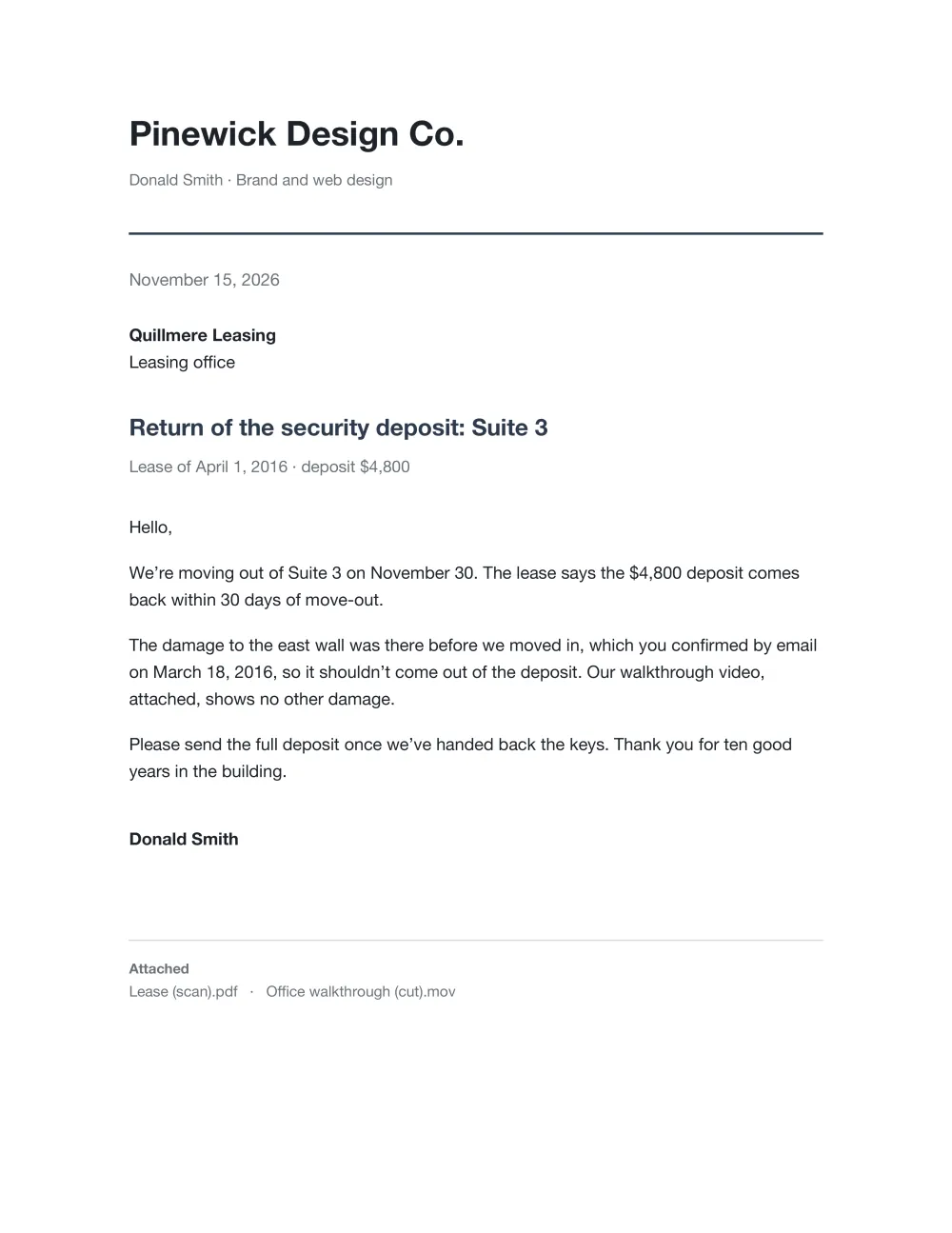
Yes, you should get all of it back. Here’s what the four files say:
- The damaged wall isn’t on you. Quillmere agreed it was there before you moved in, in an email from March 18, 2016. It’s one of the 41,280 emails in your archive.
- The walkthrough shows no new damage. The office is in good shape.
- The lease says the $4,800 deposit comes back within 30 days of move-out.
- The move is under budget, with $650 left.
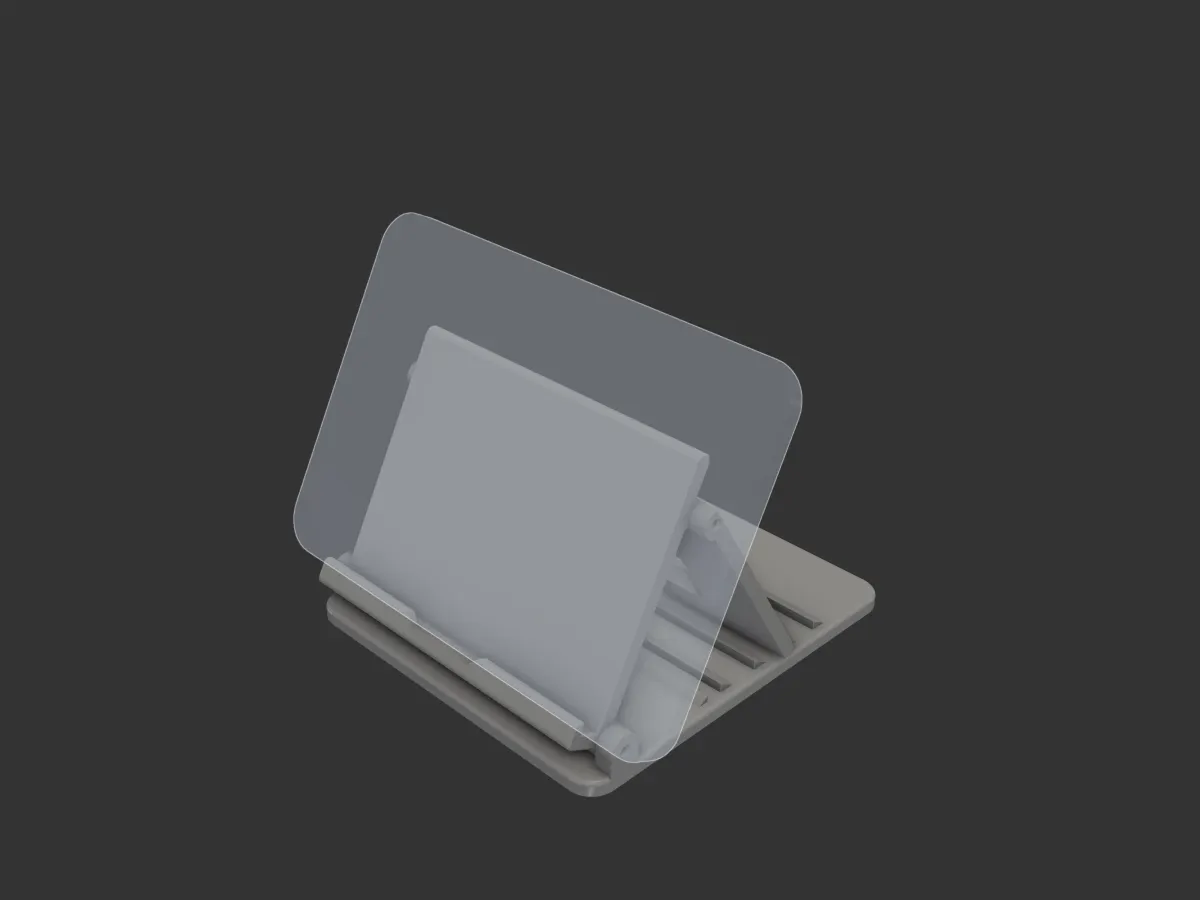
Then it hands back a Word document, a slide deck, a cut-down video, even a part for your 3D printer
Example data
It uses your apps and your browser, already signed in
It clicks, types and fills in forms for you
It checks with you before anything is sent or bought
Example data
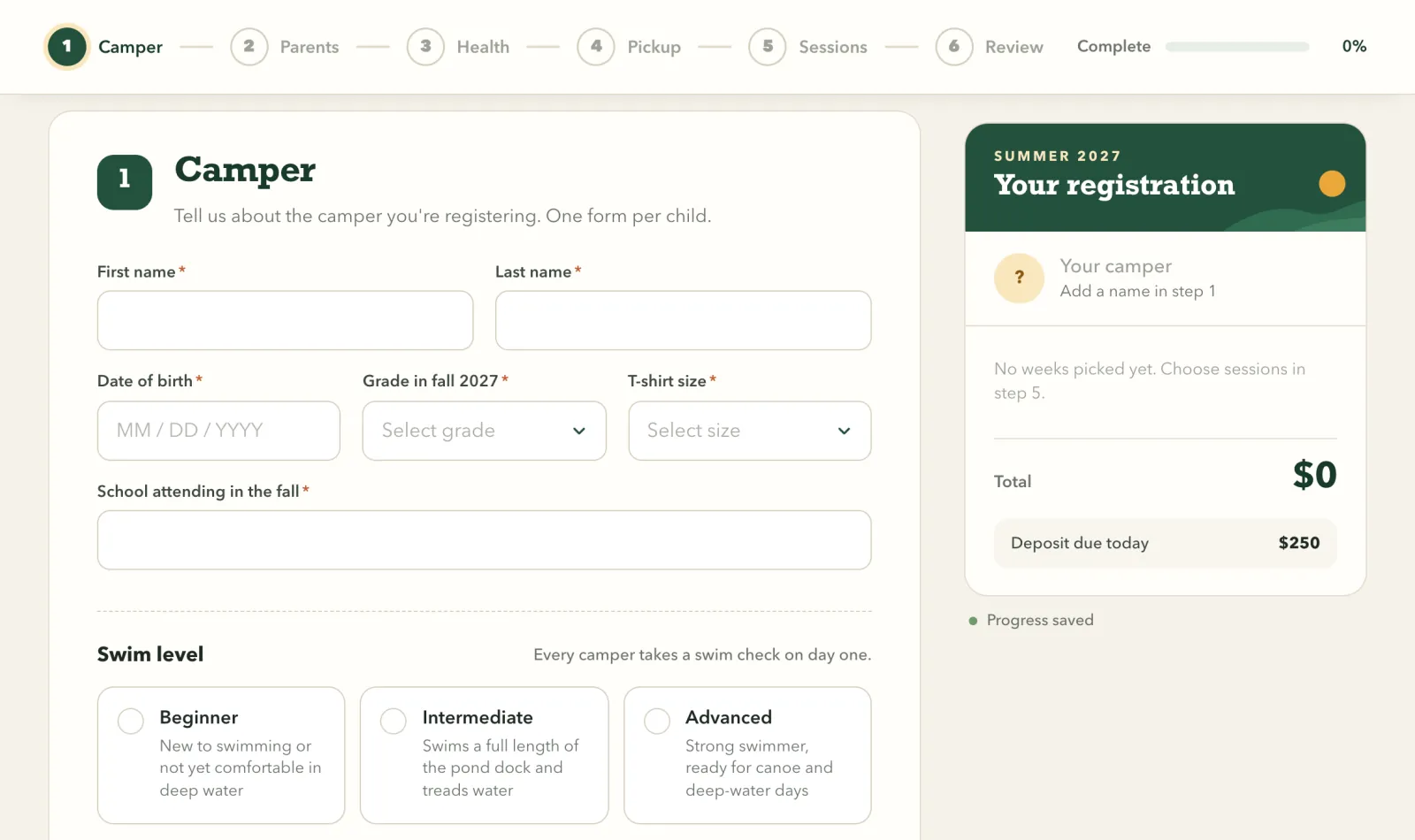
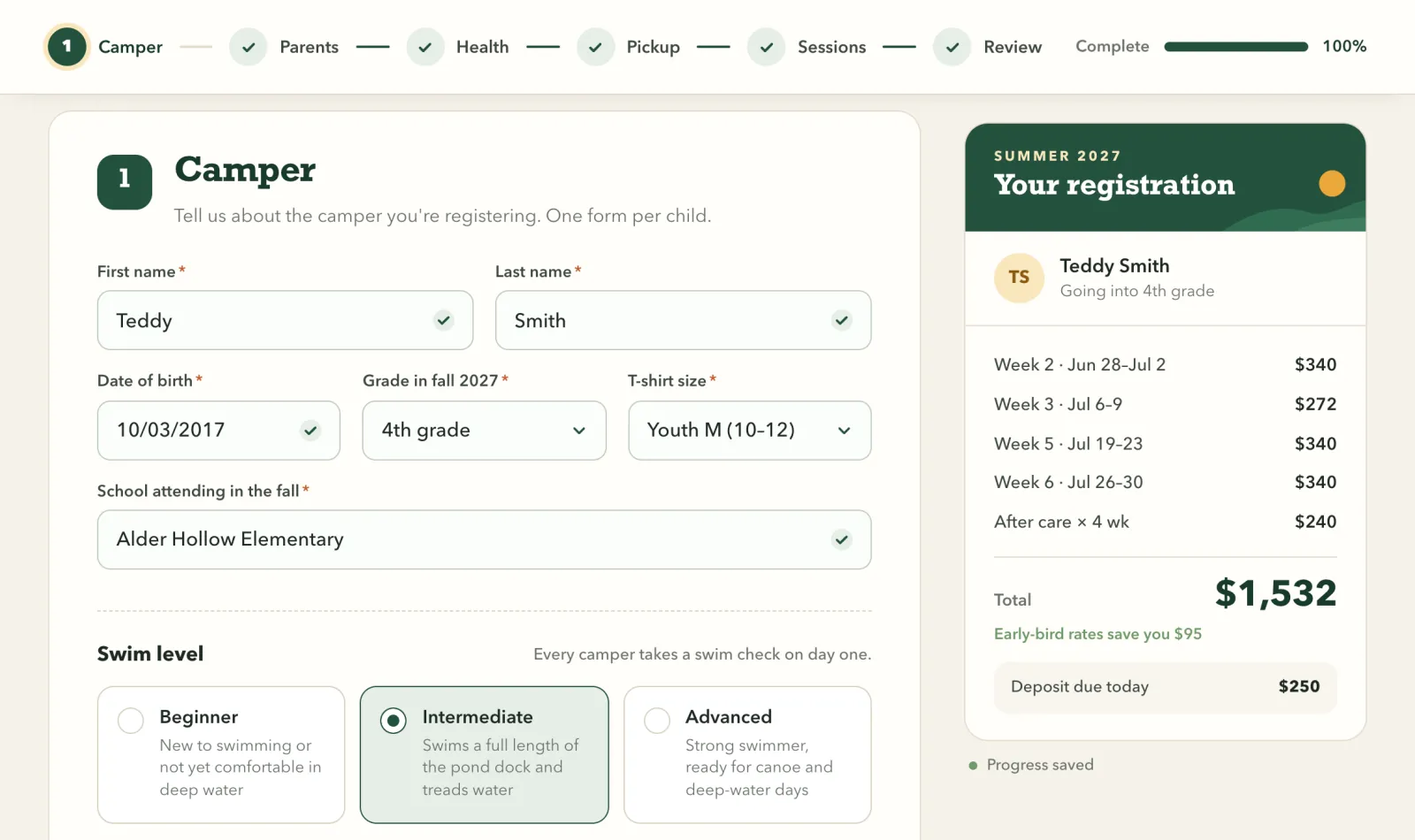
Both are ready. Friday’s Q1 planning with Chris is set up in Teams, and Teddy’s Wrenwater form is filled in, all six sections, up to the $250 deposit. I haven’t sent either: nothing goes out until you say so.
Big jobs get a team
Hand it a big job, like years of old downloads
It splits the work into parts that run at the same time
Then it shows you the plan, and nothing moves until you approve it
Example data
That’s 560 files going back to 2019. I’ll split it five ways.
All 560 files checked. A plan card holds 120 changes, so this goes in passes. First, the receipts and invoices:
It keeps working when you’re not asking
Twice a day it checks your mail, calendar and to‑do app, and gets what’s worth doing ready in Tasks
Ask for something on a schedule, like a brief every weekday at 7 AM, and it runs on its own
Check‑ins never send, pay or delete anything
And nothing runs until you turn it on
Example data
Here it is. Nothing runs until you turn it on.
- 1Check today’s weather where you are
- 2Find your first meeting on your calendar
- 3Send you both in two lines
It runs every weekday at 7 AM and tells you both in two lines.
And DJ comes with you
DJ for iPhone, paired with your Mac
Example data
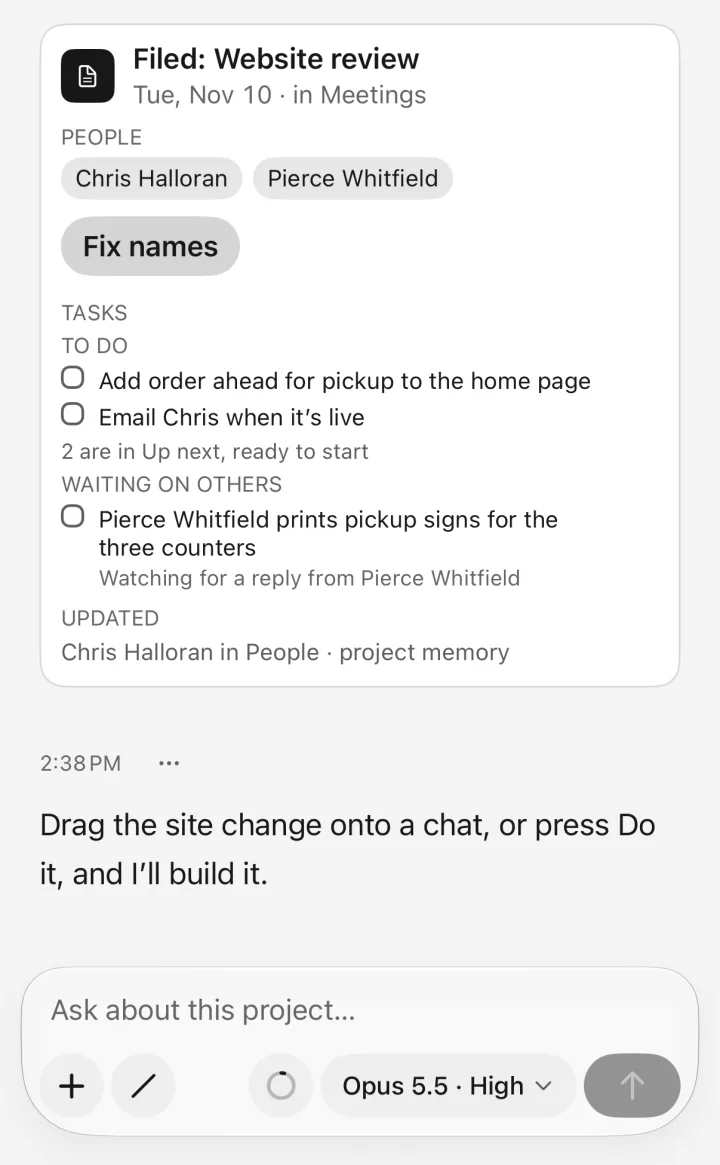
All of DJ on your phone
Every chat, project and file
Start a chat or reply, and your Mac does the work
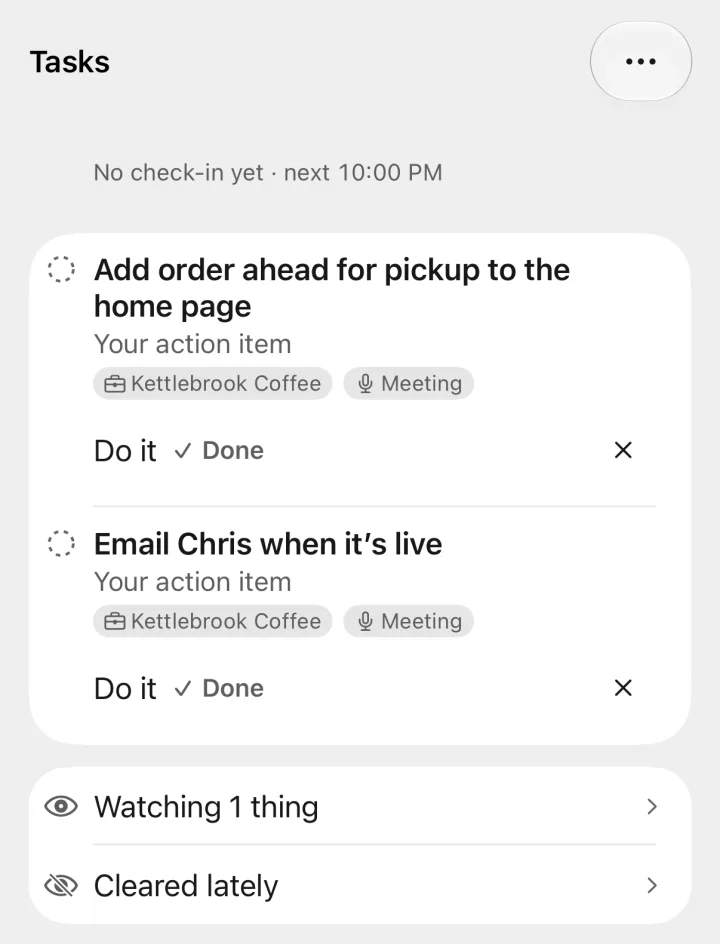
Tasks on your phone
What’s waiting for you, with Do it to start it in a chat
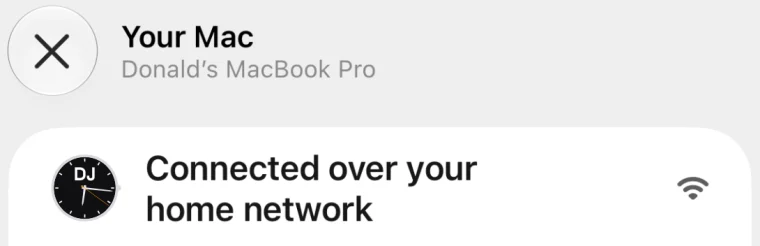
Straight to your own Mac
Encrypted, with no server in between
At home, through your VPN, or close by with no Wi‑Fi
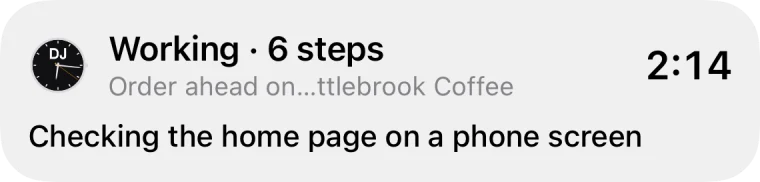
Lock Screen chat
A working chat stays on your Lock Screen and in the Dynamic Island, showing how it’s going
Your whole life lives in DJ
Launching in early 2027
Questions before you start
- Does it work on Windows?
- Mac only at launch
- How much will it cost?
- Pricing isn’t set yet
- Which AI does it use?
Claude, and you choose the model for each chat
Built on Claude, not made by Anthropic
- Where do my chats and files go?
In a DJ folder on your Mac, which syncs only if you keep it somewhere that does
What you ask, and what DJ reads to answer it, goes to Claude
- Can it send or buy without me?
You choose Off, Ask first or Allowed for everything it can reach
Paying and deleting for good always ask first
- Does it need the internet?
Yes, for Claude’s answers
Without it, you can still open your projects, files and past chats, and record and transcribe meetings
Your files are kept on your Mac, never on a DJ server
This form needs JavaScript
You can join with the backup form instead
You’re on the list
Question 1 of 4
You’re on the list
We’ll email you when DJ launches